
The constant evolution of the digital world demands that businesses move faster than ever, particularly when it comes to creating new customer experiences and user interface designs. What once took weeks of deliberation, wireframing, and code must now be delivered in days. This rapid pace of change is why so many professionals, from strategic leaders to channel managers, are looking to artificial intelligence to transform their processes. We are moving past AI simply processing data. Now, we see it actively building and designing.
Generative UI is emerging as a critical concept for organizations that want to optimize their creative production and reduce their time-to-market. It’s no longer enough to use design software. Nowadays, the software itself is capable of designing and constructing interfaces based on high-level goals and data, delivering a solid solution to the constant need for speed and optimization that your team faces.


Defining Generative UI: Moving Beyond Static User Interface Design
Generative UI is an innovative approach where generative AI systems automatically create and modify user interfaces, or UI components. Unlike traditional methods, where a designer manually places every element, generative UI leverages data, logic, and context to generate functional designs from a simple prompt or objective. This technology transforms the UI from a static deliverable into a dynamic, adaptive product. For teams focused on measurable results and efficiency, this means moving beyond manual iteration and toward systems that learn and adapt in real time.
Why Traditional User Interface Design Can't Keep Up
In many organizations, the effort required for high-quality UI design often becomes a bottleneck. Traditional methods demand significant time and resources from multiple professional profiles. A simple change can involve design mockups, developer handoffs, and tedious back-and-forth. This manual process hinders your ability to justify investment, demonstrate rapid results, and pivot quickly based on new market data. The need to constantly justify spending and achieve efficiency is a common challenge, and traditional UI development simply lacks the agility required for modern digital growth.
The Core Pillars of Generative UI Implementation
Moving generative UI from a theoretical concept to a business advantage requires understanding the key technical and strategic shifts that it enables within your organization. These pillars represent the change from relying on designers creating fixed templates to systems that produce and adapt designs automatically.
Dynamic Generation and Contextual Adaptation in AI UI
At its core, AI UI is about dynamic response. Unlike traditional template-driven development, a generative system considers factors like the user's intent, their device, real-time data, and the defined brand guidelines to build a UI component structure at the last minute. This contextual adaptation means the interface you serve is always optimized for the moment, leading to higher engagement and conversion rates. For strategic leaders, this capability means that the design process is no longer a sequential step but an integrated, real-time optimization layer.
- Goal-based design: The system doesn't just fulfill aesthetic requirements, it optimizes the layout to achieve a specific business goal, whether that’s increasing a click-through rate or streamlining a checkout process.
- A/B testing automation: Instead of manually setting up variations, the generative system can automatically produce and test thousands of unique interface iterations, constantly iterating toward the best-performing design.
- Personalized experiences: It moves beyond simple personalization to create genuinely unique experiences for every user, which is crucial for maximizing conversion and retention.
Outcome-Oriented Design vs. Tool-Focused Layouts
The implementation of generative UI forces a shift in focus from the tools used (like Photoshop or Sketch) to the business outcome. Your team no longer spends time manipulating pixels but instead uses that time to define what success looks like—a 10% increase in form completion, for example—and the AI creates the layout to meet that metric. This focus on verifiable results is essential for securing a budget and justifying the value of your marketing technology stack.
- Measuring real impact: This approach aligns digital design directly with marketing KPIs, giving executives clear data on how design directly influences ROI (return on investment).
- Reducing design debt: By using modular, AI-generated designs, you avoid the accumulation of legacy or inconsistent code and assets, maintaining a more efficient and scalable digital infrastructure.
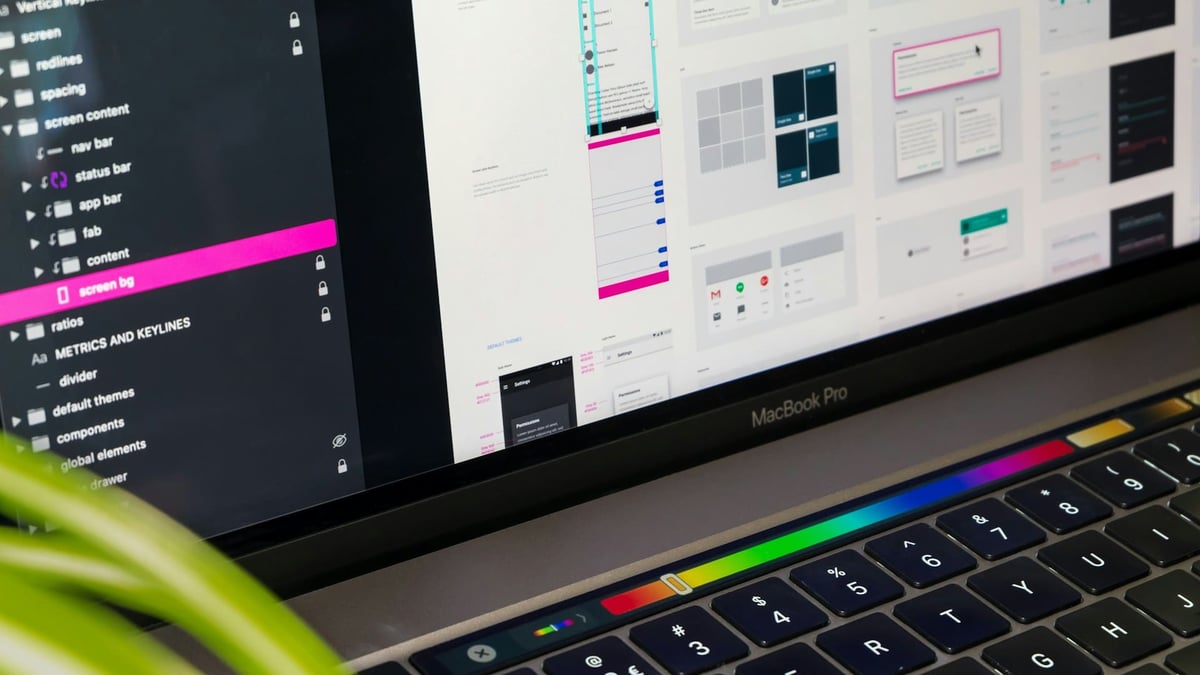
Understanding the Generative UI Workflow: From Prompt to Display
To truly harness the power of generative UI, you need to look beyond the final product and understand the automated workflow that makes it possible. This process is far more efficient than the manual, sequential steps of traditional design and software development.
AI Reasoning and Component Selection
The generative workflow begins with a goal rather than a sketch. The AI receives an instruction such as "Create an optimal product page for mobile users to increase conversions by 5%" and begins an internal reasoning process. It accesses a vast library of pre-designed UI components (buttons, forms, navigation bars, media players) and applies algorithms to select the best combination.
This process involves:
- Contextual analysis: The generative AI evaluates the user context, such as screen size, input method, and geographical location, to make sure that the design is technically appropriate and localized.
- Data-driven prioritization: The AI prioritizes components proven to drive the desired business outcome, often based on millions of data points from previous campaigns. For example, a larger, centrally placed call to action button might be chosen if data shows it improves conversion for that specific product category.
- Rapid prototyping: The AI rapidly assembles a functional, interactive prototype, effectively cutting out days or weeks of manual wireframing and design mockups that characterize traditional processes.
The Role of AI Workflows and App Integration in Rendering
Once the components are selected, the focus shifts to execution. This is where AI workflows and app integration become critical. The AI doesn't just produce an image but rather generates code or structured data that can be immediately rendered within your existing systems.
App integration ensures the new interface can easily communicate with your backend systems, such as CRM platforms, ecommerce engines, and analytics dashboards.
- Code generation: The system outputs clean, functional code (often in frameworks like React or Vue) or markup, ready for deployment. This drastically reduces the load on software development teams, allowing them to focus on complex logic rather than routine UI construction.
- Automated deployment: The new design can be automatically pushed to a testing environment or directly into production via predefined AI workflows, eliminating manual file transfers and coordination bottlenecks.
- Continuous feedback loop: The system continuously monitors the performance of the live interface and feeds data back into the AI's reasoning engine, enabling constant, autonomous optimization. This is an example of our "Always Find a Better Way" philosophy in action.
Accelerating Software Development and Time-to-Market
One of the most compelling advantages of adopting generative UI is its direct impact on business growth. This technology can lead to faster revenue generation and higher efficiency, directly addressing the pressure to justify spending and optimize results.
Achieving AI Productivity Through UI Automation
UI automation is the core mechanism by which generative UI delivers tangible business benefits. By automating the repetitive, low-value tasks in the design and development cycle—such as component placement, initial code generation, and responsive testing—the system dramatically improves AI productivity across your entire team. This optimization is key to maximizing returns on marketing investments and achieving established KPIs quickly.
Consider the measurable benefits:
- Cost reduction: Automating routine design tasks frees up designers and developers to focus on complex, high-impact strategic work, rather than execution.
- Time savings: The traditional design-to-deployment cycle, which often stretches over weeks, can be compressed into days, enabling features to reach customers sooner.
- Reduced error rate: Automated UI generation eliminates many common human errors in code and responsiveness, leading to a more stable and reliable product from the start.
Bridging the Gap: Integrating GenUI with Low-Code Tools and No-Code Tools
The strategic value of generative UI is reinforced by its compatibility with low-code tools and no-code tools. This integration empowers execution teams to rapidly implement innovations without deep technical coding expertise, making digital transformation accessible to more people within the organization.
- Democratization of design: No-code tools allow marketing professionals to adjust and deploy AI-generated interfaces themselves, reducing dependence on the central development team and accelerating tactical execution.
- Scaling development: By providing pre-generated code blocks and templates, low-code tools streamline the assembly process for developers, allowing them to build custom solutions at a massive scale and with greater agility.
- Resource optimization: This combination means limited resources can be prioritized on core business logic, while the front-end design is handled efficiently and automatically by the AI, directly aiding the justification of investment to superiors.

Essential Features of Leading Generative UI Platforms
The power of generative UI lies in the specialized platforms that execute these advanced AI tools. Understanding the key features of these platforms is crucial for making informed decisions about technology investment and digital design strategy.
The Strategic Value of AI Design Tools for Enterprise
For businesses aiming for efficiency and long-term strategic growth, the right AI design tools offer benefits far beyond simple aesthetic improvements. They are investments in efficiency, consistency, and scalability, aligning perfectly with the need for high-level resource allocation and verifiable success stories.
- Design system integration: Leading platforms automatically adhere to your established brand guidelines and design systems, ensuring 100% visual and functional consistency across all generated interfaces, which is vital for enterprise-level branding.
- Code export quality: The platforms must generate clean, production-ready code. The quality of this code determines how much effort the software development team will need to spend time integrating the design, directly impacting your time-to-market.
- Flexibility and customization: While the AI automates creation, the platform should offer robust customization controls. This ensures that while you gain efficiency from UI automation, you do not lose the strategic flexibility to meet unique business demands.
Weavy
Weavy is an example of an app integration solution that focuses on bringing essential real-time communication features into your applications, such as chat, feeds, and document collaboration. While not a pure generative UI platform, its value lies in providing pre-built UI components for collaboration that can be quickly embedded into new AI-generated interfaces. This means a new product or feature created using generative AI can be instantly functional and collaborative without requiring complex, manual coding of the chat or activity features.
Make
Make focuses on providing tools for rapid application development and design, often leveraging low-code tools principles. The platform’s ability to generate functional interfaces with minimal human intervention makes it a powerful example of how AI design tools achieve high productivity. By transforming natural language prompts or data structures into usable interfaces, Make significantly accelerates the transition from concept to product deployment. For teams concerned with the constant need to justify spending, this tool offers a clear route to demonstrating results quickly and efficiently.
Key Takeaways
The emergence of generative UI is not just an incremental technological update. It represents a fundamental shift in how digital products are designed, developed, and optimized. For leadership and execution teams alike, understanding this transition is key to maintaining a competitive edge.
To drive successful digital design and achieve scalable growth, remember these critical points:
- Focus on outcomes: Generative UI shifts the focus from manual pixel pushing to defining measurable business outcomes. Your team should define success (e.g., a specific increase in conversion rate), and the AI UI system will handle the rest through continuous UI automation.
- Efficiency drives ROI: By accelerating software development and reducing time spent on routine tasks, this technology directly helps to justify marketing spending. It encourages high productivity by empowering developers to focus on high-impact strategic logic.
- The power of integration: The real long-term value comes from integrating generative systems with your existing infrastructure through app integration. Platforms that offer high-quality code and leverage low-code tools or no-code tools will allow for the fastest adoption and highest scalability within your organization.
- Embrace continuous improvement: The core philosophy of generative UI—constantly testing and adapting the interface—aligns with our "Always Find a Better Way" principle. This makes it so that your customer experiences are always optimized based on real-time data, not just intuition.


Shanon Roberts
Front-End Developer & Graphic Designer. Shanon is a multidisciplinary designer specialized in creating diverse digital assets, including digital ads, videos, ebooks, and more. With a background in digital and inbound marketing, Shanon excels in developing impactful landing and web pages for clients using HubSpot.


Leave your comment and join the conversation