
Jumping into ecommerce is easier now than ever before, and tools like Shopify have totally changed the game for launching an online business without needing to know how to code. This platform is one of the most powerful and flexible options out there for creating and managing your online store, letting you control the design, products, payments, and the entire sales process from one spot.
If you’re thinking about starting your own online store, this complete guide will walk you through how to build it from the ground up with Shopify. We'll cover practical tips for designing your site, getting your settings right, and launching your business like a pro. From signing up to going live, this article will give you the keys to kick off your ecommerce journey successfully.


Where to Start With Shopify
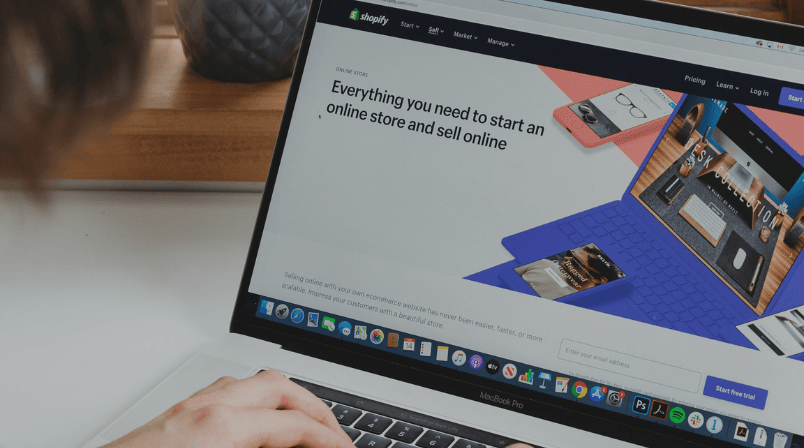
To get your ecommerce store up and running with Shopify, head to the Shopify website. From there, you'll pick a plan and start giving your store its look and feel by choosing and tweaking a theme. Next, you'll add your products, complete with descriptions and photos, and then set up your payment and shipping options. Don't forget to create essential pages like your "Contact Us" and return policies. Finally, you’ll run a test order to make sure everything works smoothly, and then you're ready to launch your store and start selling!
Shopify has a really user-friendly dashboard and a whole ecosystem of features that make every step of the process pretty simple. From the initial setup to the day-to-day management of your store, you’ll be able to move forward easily thanks to all the built-in tools for design, digital marketing, and business automation. The trick is to follow a step-by-step approach that helps you build a great shopping experience that looks good and is ready to grow.
1. Sign Up for Shopify
The first step to getting your store online is to head over to Shopify.com and start a free trial. This lets you play around with all the platform’s features with no commitment. When you start the sign-up process, you'll enter a valid email address and pick a name for your store. This name will be what customers see, and it can also play a role in your search engine ranking, so give it some thought!
Once your account is created, Shopify will ask you to set up your business location. This info is super important for figuring out things like sales tax, currency, and shipping options. After that, you'll have access to your main admin dashboard, where you’ll start building out your store.
The whole sign-up process was designed so that anyone, even without a tech background, can get their store started in just a few minutes. It's very beginner-friendly.
2. Design Your Shopify Store
The design of your store is critical for grabbing visitors' attention and keeping them around. Shopify has a huge selection of themes, both free and paid, that you can customize to match your brand's vibe. Pick a theme that reflects your business's style and works well for your catalog of products, your target customer, and your overall sales strategy.
From the theme editor, you can customize all sorts of things:
- Colors and fonts
- Menu structure and navigation
- Icons and logos
- Homepage sections like image carousels, banners, or featured collections
You can also upload your logo, change the header and footer layout, and rearrange different sections. The best part is that you don’t need to know any code, since it all works with a visual drag-and-drop system.
Good design isn’t just about looking pretty; a clean, well-organized layout makes for a better user experience and guides customers through the buying process more easily. Plus, all of Shopify’s themes are mobile-friendly, so your store will look great and be easy to navigate on any device.
3. Add Content and Products
Once you've got the design of your store dialed in, it's time to add the content that will build your brand identity and bring your product catalog to life. Start by creating key pages like an "About Us," "Contact Us," or "FAQ" page. These pages help build trust with your customers and show them what you're all about.
From your admin dashboard, go to the "Products" section to start uploading your items. For each product, you'll want to include a clear title, detailed descriptions, high-quality images, price, inventory count, and any variations (like different sizes or colors). Shopify also lets you group products into themed "collections," which makes it much easier for customers to browse and find what they're looking for.
A well-organized site structure not only helps you make more sales but also sets you up for future marketing campaigns. You can also use tags, filters, and categories to get your store ready for growth right from day one.
4. Set Up Your Store's Details
Before you open your store to the public, you have to lock in the operational details that make for a complete and secure shopping experience. First, head to the "Payments" section to activate the ways your customers can pay you. Shopify offers tons of options, including its own Shopify Payments, PayPal, Stripe, Apple Pay, and all major credit cards, allowing you to cater to different customer preferences.
Next, you'll need to set up your shipping zones and rates based on your logistics plan. You can set flat rates, rates based on weight or location, or even connect your account with major US carriers like USPS, UPS, and FedEx to get real-time shipping calculations. If you're selling digital products, you can just turn off the physical shipping option.
Finally, in the "Settings" menu, go to the policies tab to spell out your terms for purchases, returns, privacy, and your terms of service. Shopify gives you basic templates that you can customize based on your business rules.
Getting these details right shows customers that you're a professional and transparent business, which is a huge part of building trust and getting people to click that "buy" button.
5. Launch Your Store!
Before you go live, you should always run a test order to make sure every part of the process, from picking a product to checkout and getting a confirmation email, is working perfectly. This test will help you catch any mistakes in your pricing, inventory, shipping settings, or payment methods.
Once you’ve confirmed everything is good to go, it's time to pick the Shopify plan that best fits your needs and sales volume. There are options for brand-new small shops all the way up to advanced plans for established businesses that need more features.
The last step is to connect a custom domain to your store (like www.yourbrand.com). This helps your SEO ranking and makes your brand look much more professional. You can buy a domain directly through Shopify or connect one you already own from another provider.
With these steps done, your store is officially ready for visitors and sales! From here, you can focus on driving traffic, building out your ecommerce strategy, and creating digital marketing campaigns to grow your business.

How We Can Help as Shopify Partners
As Shopify Partners, we can walk you through the entire process of creating, fine-tuning, and growing your online store. Our team brings together experience in design, development, and ecommerce strategy to help you build a store that lines up perfectly with your business goals and what makes your brand special.
From the initial setup to advanced customizations, we work with you to make sure your store is not only visually appealing and functional but also ready to grow. We also integrate tools for analytics, automation, and customer management to get you the best possible results right from the start.
Whether you need a store built from scratch, want to move over from another platform, or just need to improve your sales, we can offer a solution that fits your specific needs. Most importantly, we help you turn a powerful ecommerce platform like Shopify into a long-term sales machine.


Marina Sala
AI-Driven Business Digital Strategy Consultant at Cyberclick. Expert in ecommerce, user experience (UX), inbound marketing and CRO strategies focused on maximising conversions. She helps companies integrate AI into their business and make better digital decisions to drive growth and efficiency.



Leave your comment and join the conversation