
Artificial intelligence is driving a major shift in how we interact with the internet. This has led to initiatives such as OpenAI's new web browser, ChatGPT Atlas. ChatGPT Atlas is designed to integrate its flagship language model directly into the navigation experience.
Instead of just being a tool you visit in a tab, the AI is now the engine driving the entire interface. This move represents a significant step toward a "super-assistant" that understands your context, helps you complete tasks without needing to leave your current window, and centralizes your work tools in one place. Use this article as a practical guide to understanding the new browser and how this shift will impact productivity and digital strategy.

ChatGPT Atlas: The OpenAI Browser Transforming Web Interaction
The core philosophy behind ChatGPT Atlas is that your browser is where your work, tools, and context naturally come together. Rather than switching tabs to copy-paste information into a chatbot, Atlas allows ChatGPT to "see" what you are looking at and offer assistance directly in that window.
This integration is built on a new architecture called OWL (OpenAI’s Web Layer). This system separates the application interface from the underlying runtime, ensuring instant startup speeds and responsiveness even when you have multiple tabs open. Unlike traditional browsers that might slow down under heavy loads, this web browsing AI is engineered to remain alert, acting as a reliable digital assistant that can summarize content, analyze data, or compare products instantly from any site you are viewing.
Limitations
While the potential for productivity is high, it is important to note that Atlas is still in its early stages. The "agent mode" features—which automate tasks—are currently launching in preview for specific user tiers and may make mistakes when handling complex workflows. Furthermore, AI navigation features carry inherent risks, such as susceptibility to hidden malicious instructions on webpages that could override the agent's intended behavior. OpenAI has prioritized safety with rigorous "red-teaming" and safeguards, but users should weigh the tradeoffs and monitor the agent's activities carefully.
Main Features
ChatGPT Atlas browser is designed to reduce the friction between finding information and acting on it. By embedding the AI directly into the interface, the web browser offers a suite of AI tools that change how users consume content.
The Integrated Sidebar
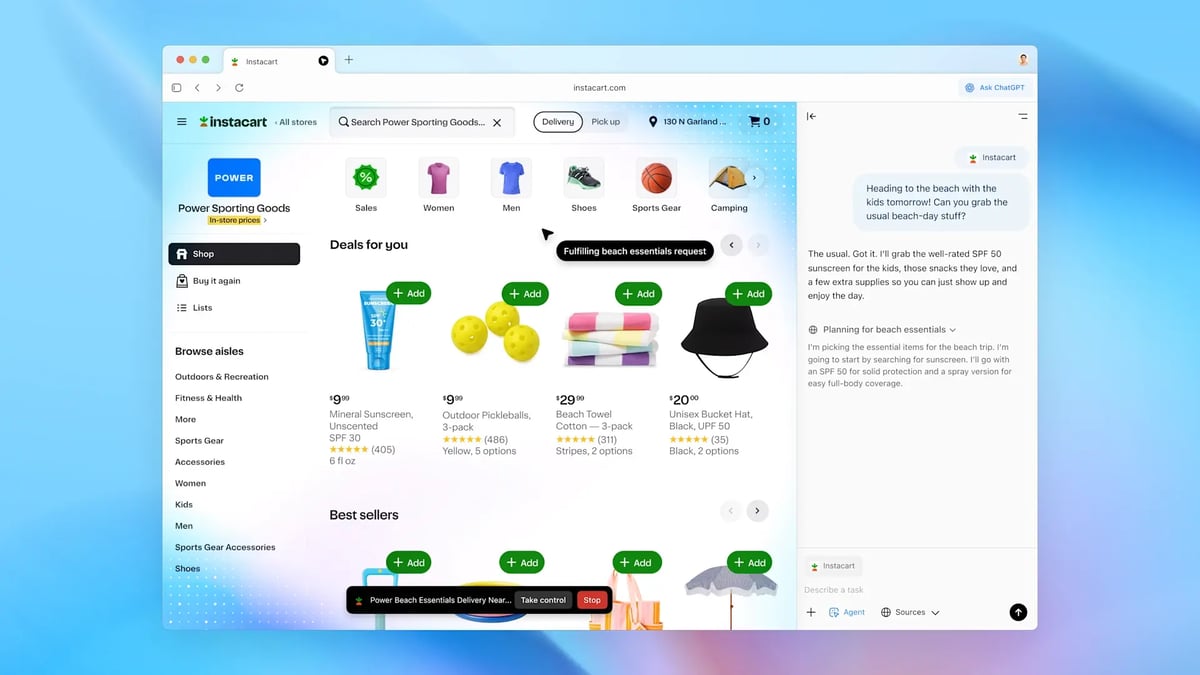
One of the most immediate changes in ChatGPT Atlas is the persistent sidebar. You can open a sidebar in any window to perform tasks without leaving the page. This means that you can summarize long articles, compare product specs, or analyze data visualization on a competitor's site instantly.
The sidebar is context-aware. For example, if you are reading a complex financial report, you can simply highlight a term and ask, "What does this mean?" or "Compare this to last quarter's figures." ChatGPT features like this eliminate the need to take screenshots or copy-paste text into a separate tab, streamlining the research process significantly.
Source: openai.com
AI Search and AI Navigation
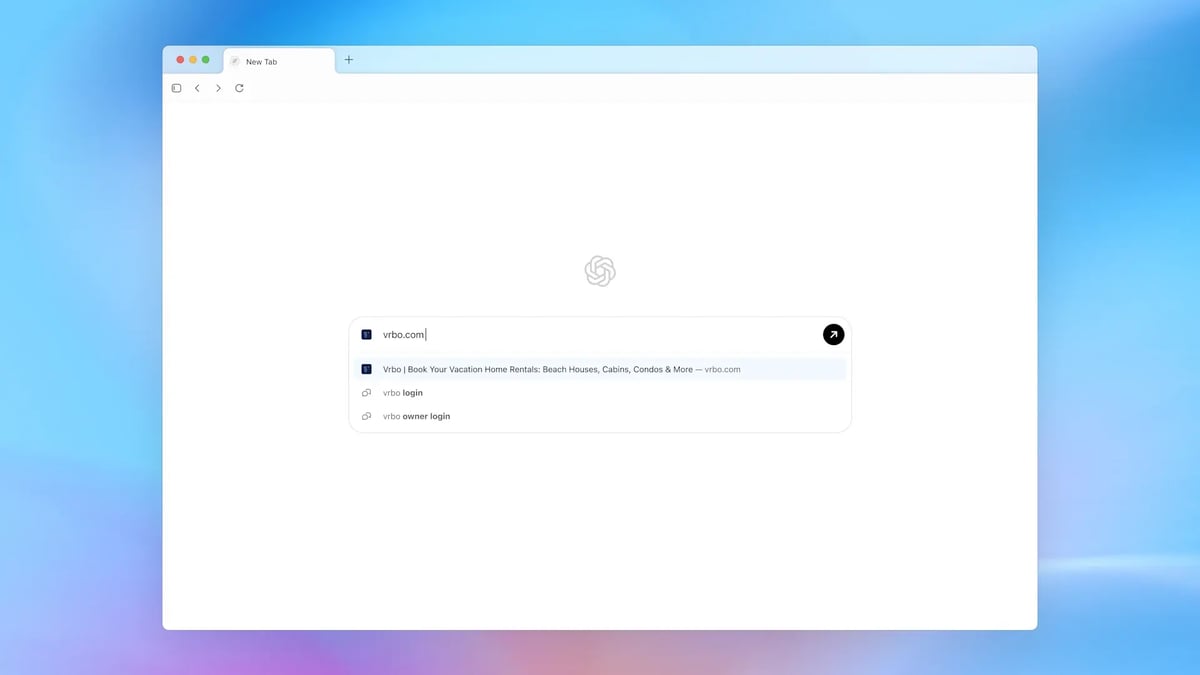
When you open a new tab in the browser, you aren't greeted by a standard search engine, but by an interface ready for AI search queries. The goal is to move away from a list of blue links and toward direct answers.
ChatGPT Atlas provides an intelligent AI Overview of topics, suggesting research avenues or tasks based on your input. This approach to AI navigation allows the browser to understand what you are looking at, helping you improve your knowledge checks or find relevant information faster than traditional browsing methods. Whether you're a student looking for practice questions or an executive preparing for an interview, the browser can synthesize information from multiple sources into a coherent summary.
Source: Openai.com
Agent Mode: Web Automation for Complex Tasks
While the sidebar helps with information consumption, Agent Mode is where ChatGPT Atlas attempts to handle execution. This feature represents a shift toward "agentic systems," where users delegate routine operations to the AI.
Automating Multi-Step Workflows for Higher Productivity
Agent Mode allows the browser to take action on your behalf, performing web automation tasks that usually require manual clicking and typing. For instance, you could ask the browser to "perform a new competitive research, read through past team documents, and compile insights into a team brief." The agent interacts with websites directly, opening tabs and clicking links to complete the objective.
This level of automation is particularly useful for complex, multi-step workflows. Imagine planning a corporate dinner: you can give a recipe to the agent, ask it to find a store, add ingredients to a cart and order them—all while you focus on other work. These capabilities position Atlas as one of the premier productivity tools for busy professionals.
To ensure security during these autonomous actions, OpenAI has implemented strict safeguards. The agent cannot run code, download files, or access other apps on your computer. Furthermore, for sensitive tasks, you can run the agent in a "logged-out" mode, which opens an isolated session that discards cookies and data once the task is complete, minimizing the risk of data leaks.
Contextual Memory: Personalization and AI Technology
One of the standout capabilities in Atlas is its ability to learn from your behavior over time. Traditional browsers store history as a static list of links, but Atlas uses AI technology to create "browser memories." This allows the assistant to recall context from sites you have visited previously and apply it to current tasks.
How Contextual Memory Enhances ChatGPT Features
This feature transforms online research from a disconnected series of searches into a cohesive project. For example, you can ask the browser, "Find all the job postings I was looking at last week and create a summary of industry trends." The AI can pull relevant details from past sessions without the need for you to reopen tabs or bookmark pages manually.
By remembering preferences and past interactions, ChatGPT Atlas can proactively offer smarter suggestions, such as creating a to-do list based on your recent activity or continuing product research where you left off. This makes it a powerful tool for professionals managing long-term projects or complex market analysis.
Managing Data Usage and ChatGPT Atlas Memories
Privacy is a major concern when an AI is "watching" your browsing. OpenAI has made browser memories completely optional. You can view, archive, or delete specific memories in the settings at any time.
Additionally, OpenAI states that by default, they do not use the content you browse to train their models. Users must opt in via data controls if they wish to share this data. Furthermore, even if memory is enabled, you can toggle visibility off for specific sites, ensuring that sensitive information—like banking portals or confidential internal documents—remains unseen by the AI.
ChatGPT Atlas vs. Traditional AI Browsers
The launch of ChatGPT Atlas is widely seen as a direct challenge to the dominance of Google Chrome. While other AI browser options like Perplexity’s Comet exist, the massive user base of OpenAI gives ChatGPT Atlas a unique advantage in the market.
Why OpenAI’s Browser Challenges Google Chrome
For two decades, Google has controlled the gateway to the internet, relying on a model of search queries leading to links. Atlas attempts to disrupt this by keeping users within the browser interface, providing answers directly through search rather than sending traffic to third-party websites.
While Google is integrating its Gemini model into Chrome, ChatGPT Atlas is built from the ground up with AI at its core, rather than adding it as a layer on top of a traditional engine. This fundamental difference in architecture—where the AI is the primary interface—could shift user behavior away from "searching" and toward "asking" and "delegating."
Platform and Purpose: Current Availability and Future Plans
Currently, ChatGPT Atlas is launching worldwide on macOS for Free, Plus, Pro, and Team users. Availability for Windows, iOS, and Android is planned for the near future. This initial rollout focuses on desktop users, likely targeting professionals who need robust tools for heavy workflows before expanding to mobile.
Key Takeaways for Marketing and Technology Leaders
- Shift to agentic workflows: The introduction of Agent Mode signals a future where we delegate execution, not just information retrieval, to AI.
- Context is king: The ability of the browser to "see" and "remember" your work facilitates research and reduces context switching.
- Privacy control: Granular controls over what the AI sees are essential for enterprise adoption, and ChatGPT Atlas appears to prioritize this with opt in training and toggleable memory.
- A new search paradigm: As AI technology becomes the browser engine, SEO strategies may need to pivot from ranking for clicks to optimizing for AI summarization and answer inclusion.


Enric Llonch
Video Content & Marketing Strategist. Expert in audiovisual production and content and analysis strategies on YouTube.

Leave your comment and join the conversation